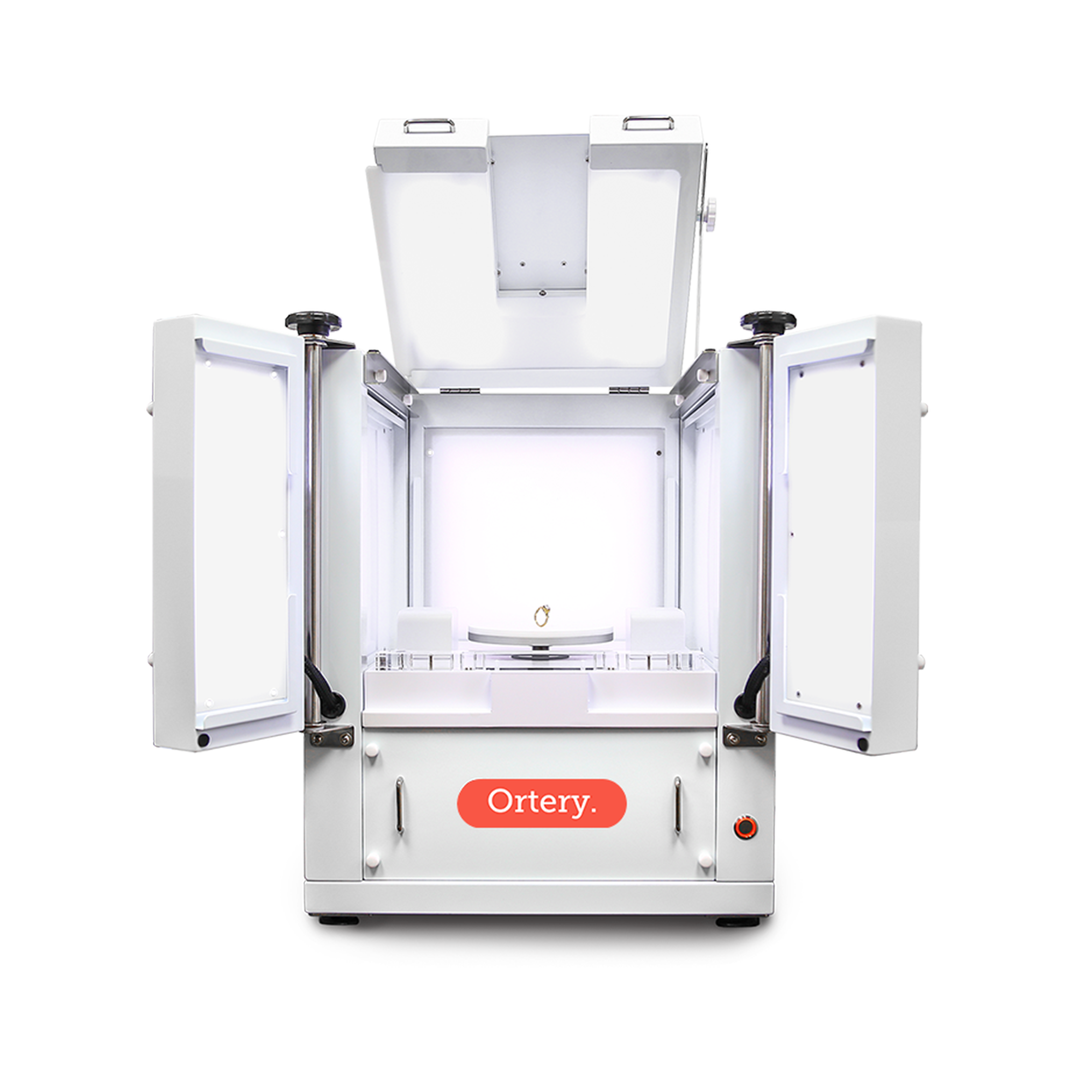
3D Modeling P-Series
Automated 3D Modeling and Product Content Creation – Single Camera Rail
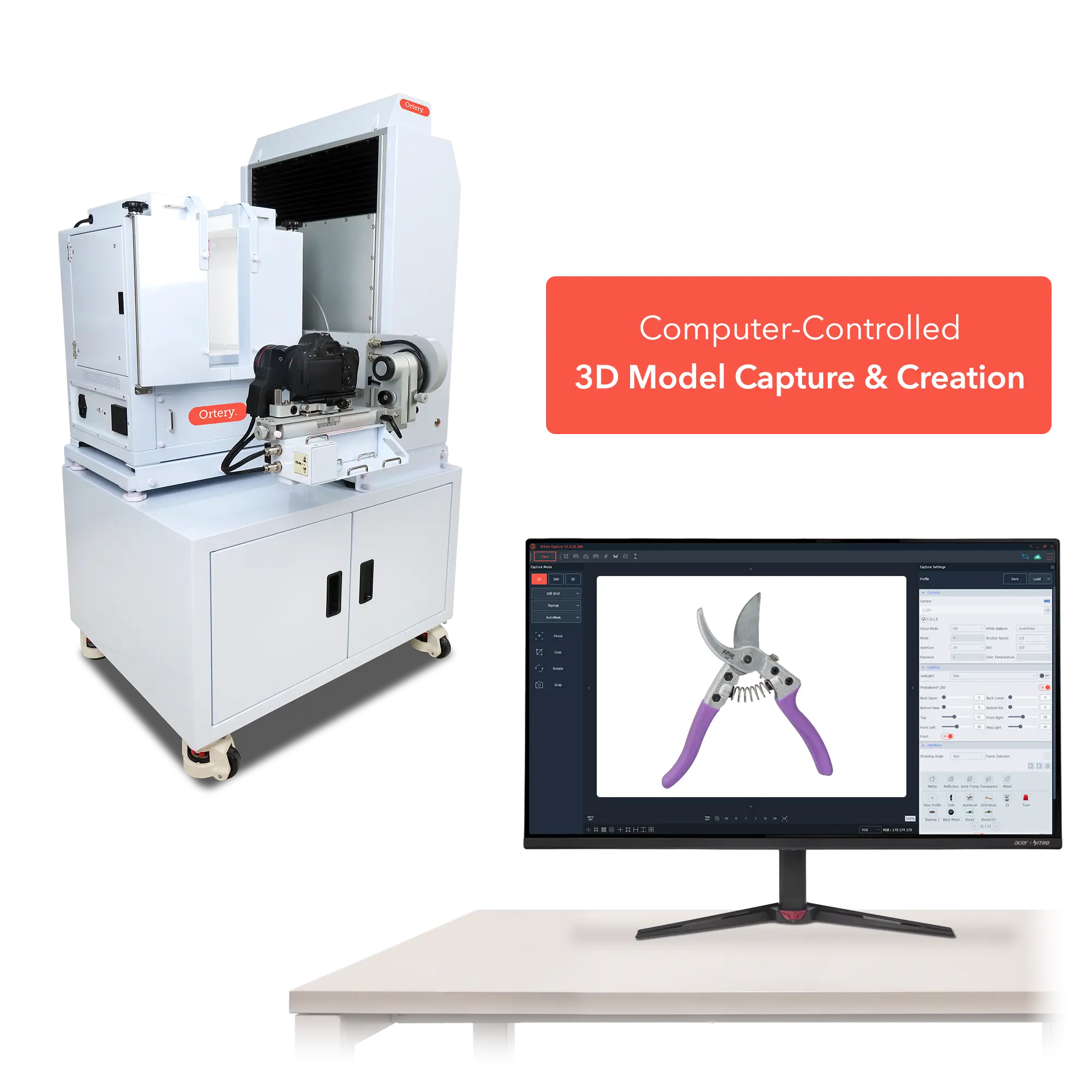
Create realistic 3D models of small and macro photography sized objects in-house with the 3D Modeling P machine. Combining flyover over camera movement and a Modeling Kit with a 3D PhotoBench 80, 80 Air or Ortery Mini Studio featuring software-controlled lighting, turntable movement, and automated image capture simplifies 3D model creation in photogrammetry and Gaussian Splat formats. In addition to 3D models, use this system to create professional still photos, flyover videos, and interactive 360° and 3D product views for all of your product imaging and content creation needs. Already own a PhotoArm 500? Upgrade it for 3D Modeling. Give us a call.
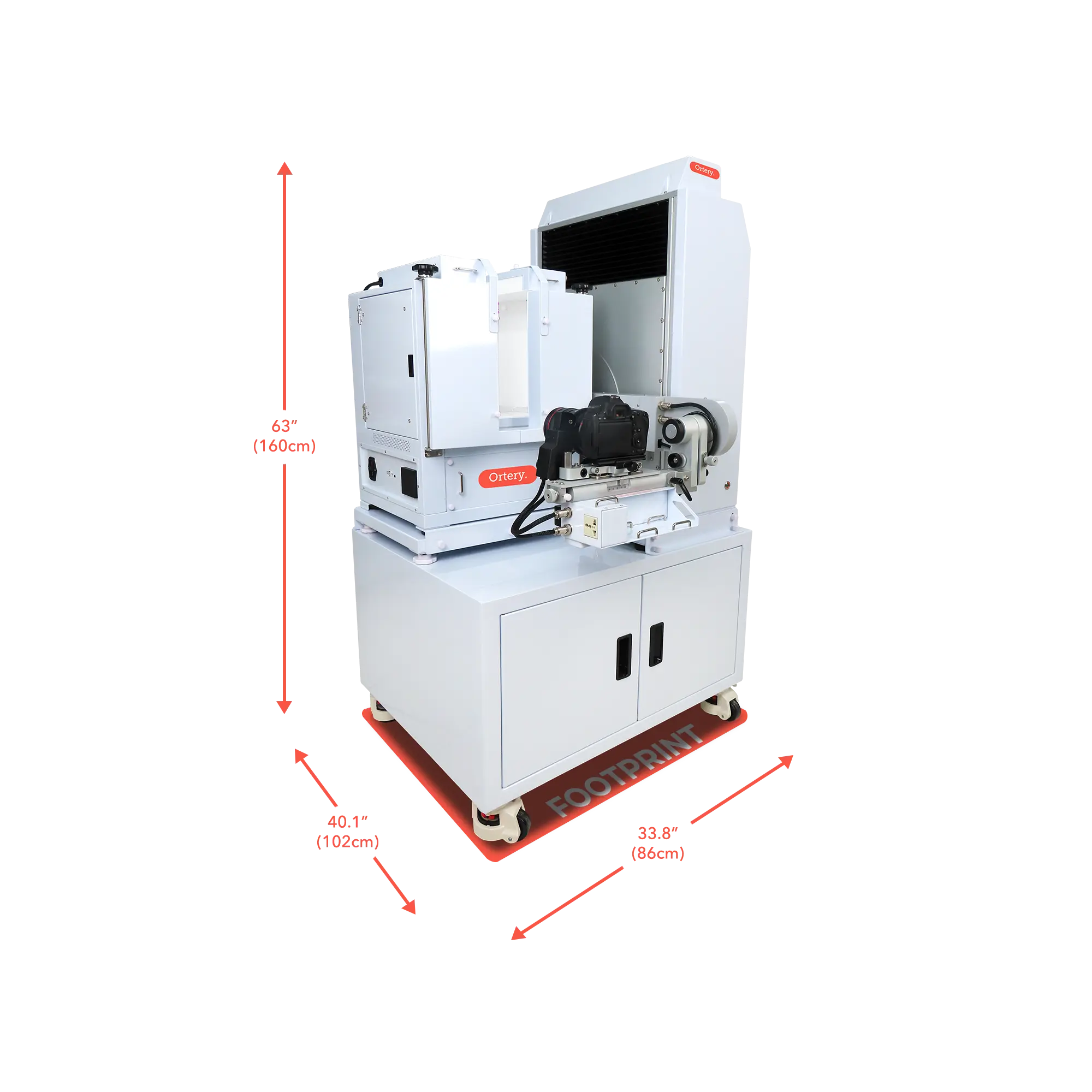
 Dimensions
40.1 x 33.8 x 63"
(101.9 x 85.9 x 160 cm)
 Weight
406 lbs (184.2 kgs)
 Shooting Radius
20.5" (52 cm)
Benefits
Capture. Process. Model. Deploy.
Bring 3D modeling in-house with an automated solution designed to simplify production, expand content possibilities, and make professional 3D content creation accessible to businesses of all sizes.
Simplify 3D Model Creation – For small and tiny objects, streamline the process from multi-angle photography through camera alignment, image processing, and 3D model creation.
Automated Multi-Angle Capture – As the PhotoArm delivers the camera to fixed locations between 0 and 90 degrees, image capture is synchronized with turntable movement to capture the images necessary for 3D model creation.
Optimized 3D Modeling Workflow – The workflow optimizes the angles and number of images captured to ensure efficient and complete product coverage.
Model Featureless Products – Accurately capture and model both feature-rich and featureless objects.
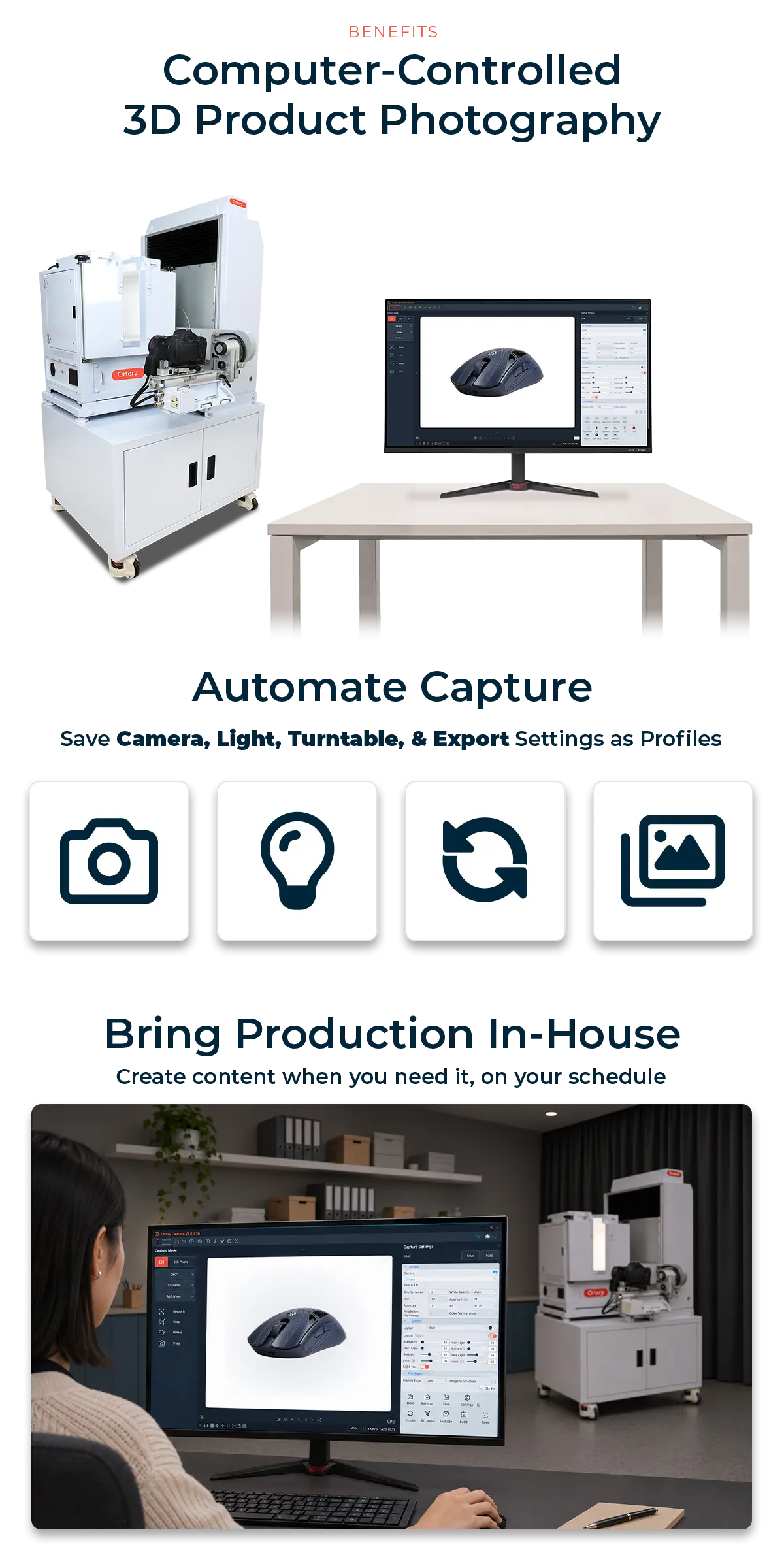
Easy to Use and Repeat – Intuitive software, real-time camera previews, automated processing, and saved Capture Profiles make it easy for operators with little or no photography experience to produce consistent photography results.
Bring Production In-House – Gain greater control over production schedules, content quality, and workflows. Create 3D models as needed, without relying on outsourced photography or per-model capture services.
Create More Content from One Investment – Beyond 3D modeling, use the complete content creation capabilities of the 3D PhotoArm 500 and connected photo studio to produce professional product photography, videos, and interactive 360, hemispherical and spherical HTML product views.
Build Valuable Image Datasets – Create organized, high-resolution, multi-angle photography for immediate use or for future model reconstruction, new content formats, and evolving 3D technologies.
Create and Deploy High- and Low-Resolution Models – Produce detailed models for high-quality visualization and optimized versions for applications where smaller file sizes and faster loading are important.
Included Advanced 3D Viewer – Bring 3D models to life with an interactive, browser-based viewer supporting both photogrammetry and Gaussian Splat models. Showcase product details with customizable controls, hotspots, measurement information, and movement sequences that can be exported as video.
Applications
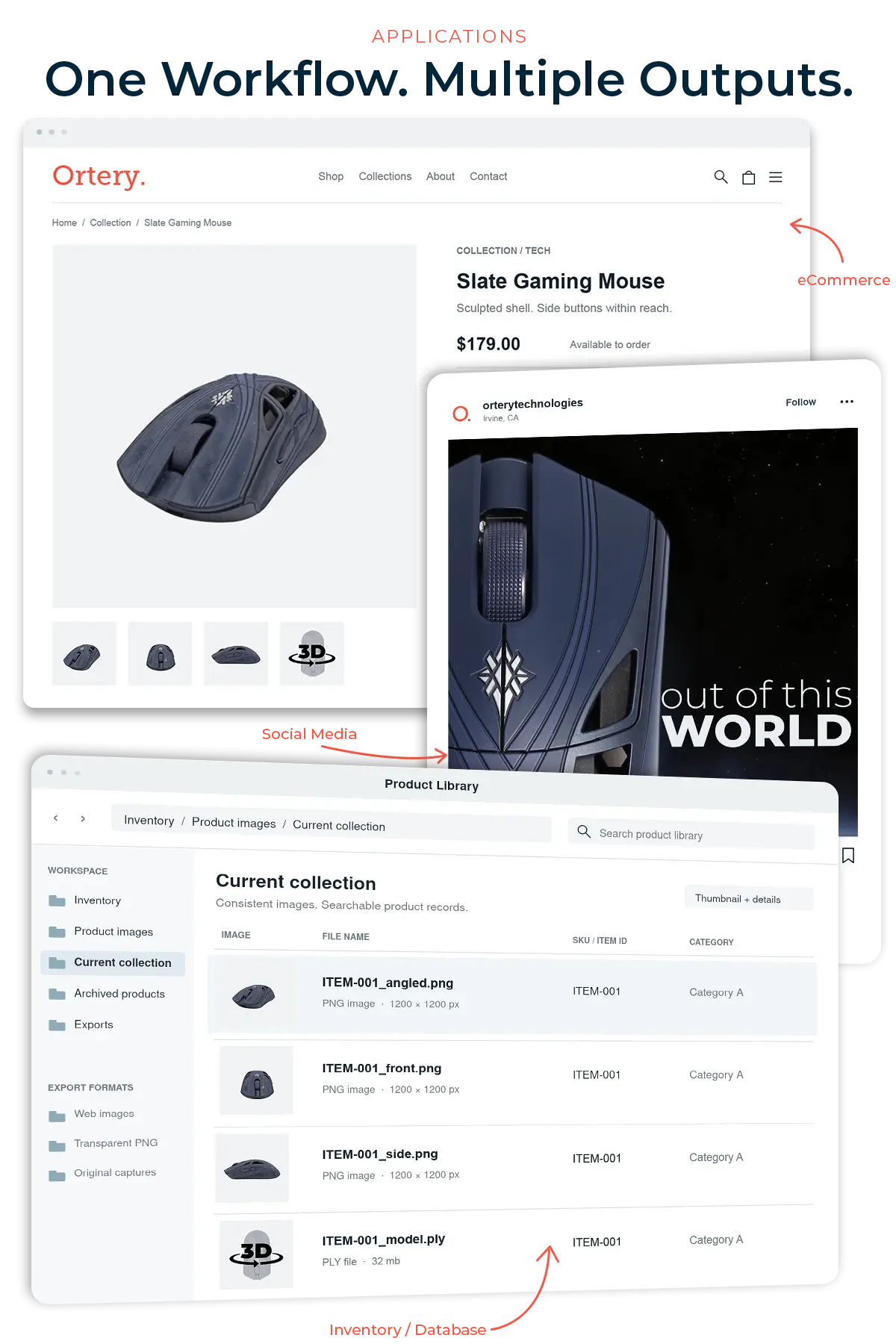
One System. More Ways to Capture, Model, and Present Your Products.
Put 3D Models to Work Across Your Business. From online shopping and marketing to product development, training, and digital documentation, realistic 3D models create new ways to present, share, and use product information.
eCommerce and Online Retail – Let shoppers explore products from virtually any angle, zoom in on details, and interact with realistic 3D models before purchasing. Create more engaging shopping experiences that build buyer confidence and support purchasing decisions.
Marketing and Advertising – Create compelling product presentations, animations, videos, and interactive 360 and 3D content for websites, digital campaigns, product launches, trade shows, and social media. Reuse 3D assets across multiple marketing channels.
Sales, Wholesale, and Distribution – Equip sales teams, distributors, and dealers with interactive 3D product catalogs, virtual showrooms, and detailed product presentations. Demonstrate products remotely without transporting physical samples.
Manufacturing and Product Development – Digitize physical products, prototypes, and samples for visualization, design reviews, product comparisons, and collaboration. Share realistic 3D representations with engineers, designers, suppliers, and other stakeholders.
Augmented Reality and Immersive Experiences – Use compatible 3D assets to create virtual product placement, interactive demonstrations, and immersive shopping experiences that help customers visualize products in real-world environments.
Training, Installation, and Technical Support – Use interactive 3D models to demonstrate product features, identify components, and support assembly, operation, maintenance, and troubleshooting. Add hotspots and other information to make training and technical documentation more engaging.
Quality Control, Inspection, and Digital Asset Management – Maintain detailed visual records of products, equipment, and inventory. Support product identification, condition documentation, remote reviews, authentication, and long-term digital archives.
Museums, Collectibles, and Cultural Preservation – Digitize valuable objects, collectibles, and artifacts for interactive exhibits, research, appraisal, authentication, online presentations, and preservation of visual records.
Hardware
Engineered for Reliable, Repeatable Multi-Angle Image Capture
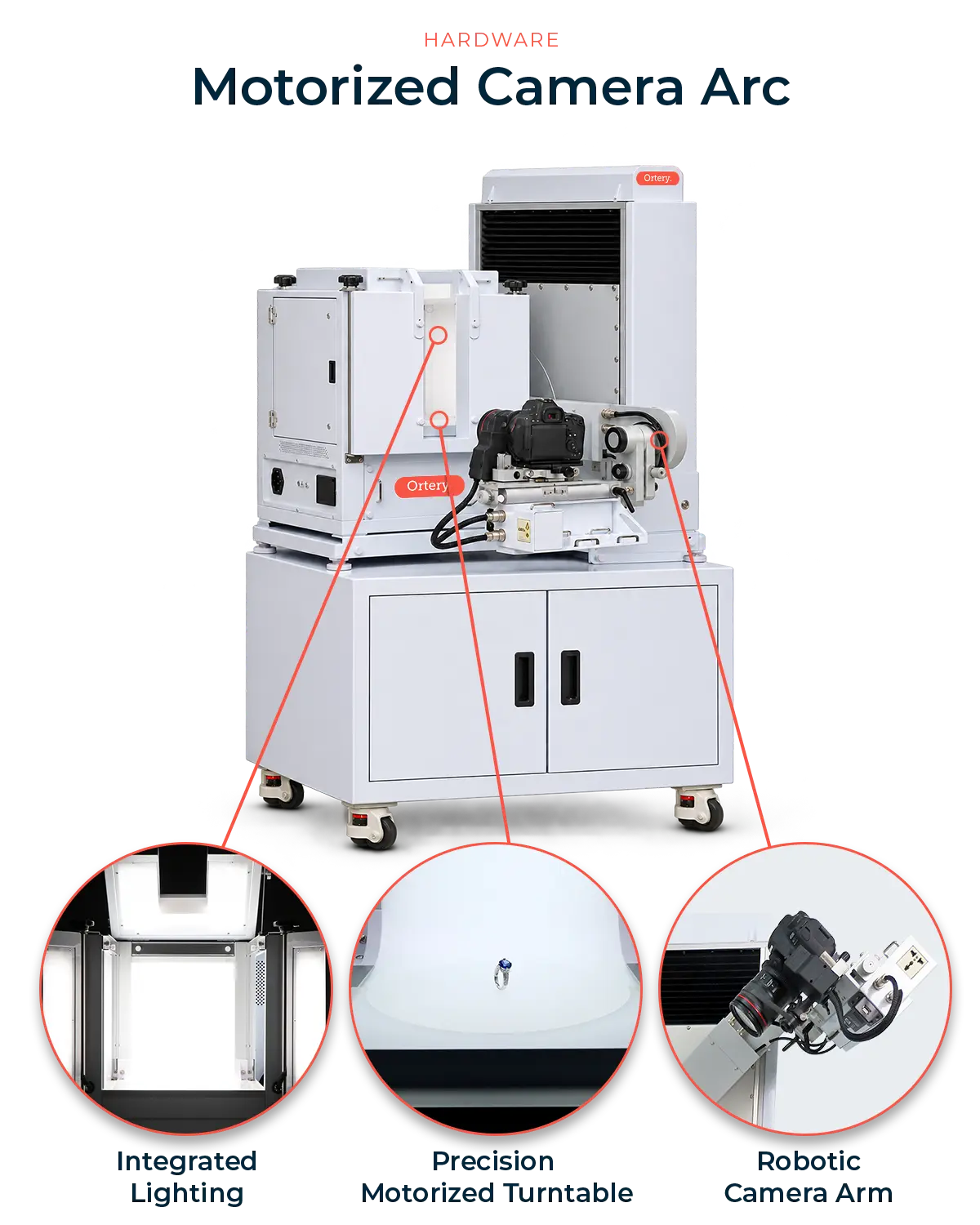
Designed for studio and warehouse environments, this system combines advanced camera movement with controlled lighting and a precise turntable to create coordinated imaging system.
Small & Tiny Product Capacity – Use it with a 3D PhotoBench 80, 80 Air, or Mini Studio. Adjust camera arm radius from 10.3 to 20.5” (26 – 52cm) to optimize camera flyover for reliable, repeatable image capture.
Camera Movement – Features the ability to stop and shot at almost any position between zero and 90 degrees. Users can also control or pre-program camera height and zoom in the software.
Integrated Lighting – Software control of light intensity from individual banks of color accurate LED lights simplifies setup and enables repeatable lighting configurations.
Production-Ready Design – Casters and leveling legs provide mobility, stability, and easy positioning in studio or warehouse environments. Easily mobility through doorways.
Straightforward Installation – Designed for easy assembly and integration into existing photography or product content production workflows.
Software
Integrated Hardware and Software Make 3D Content Creation Easier
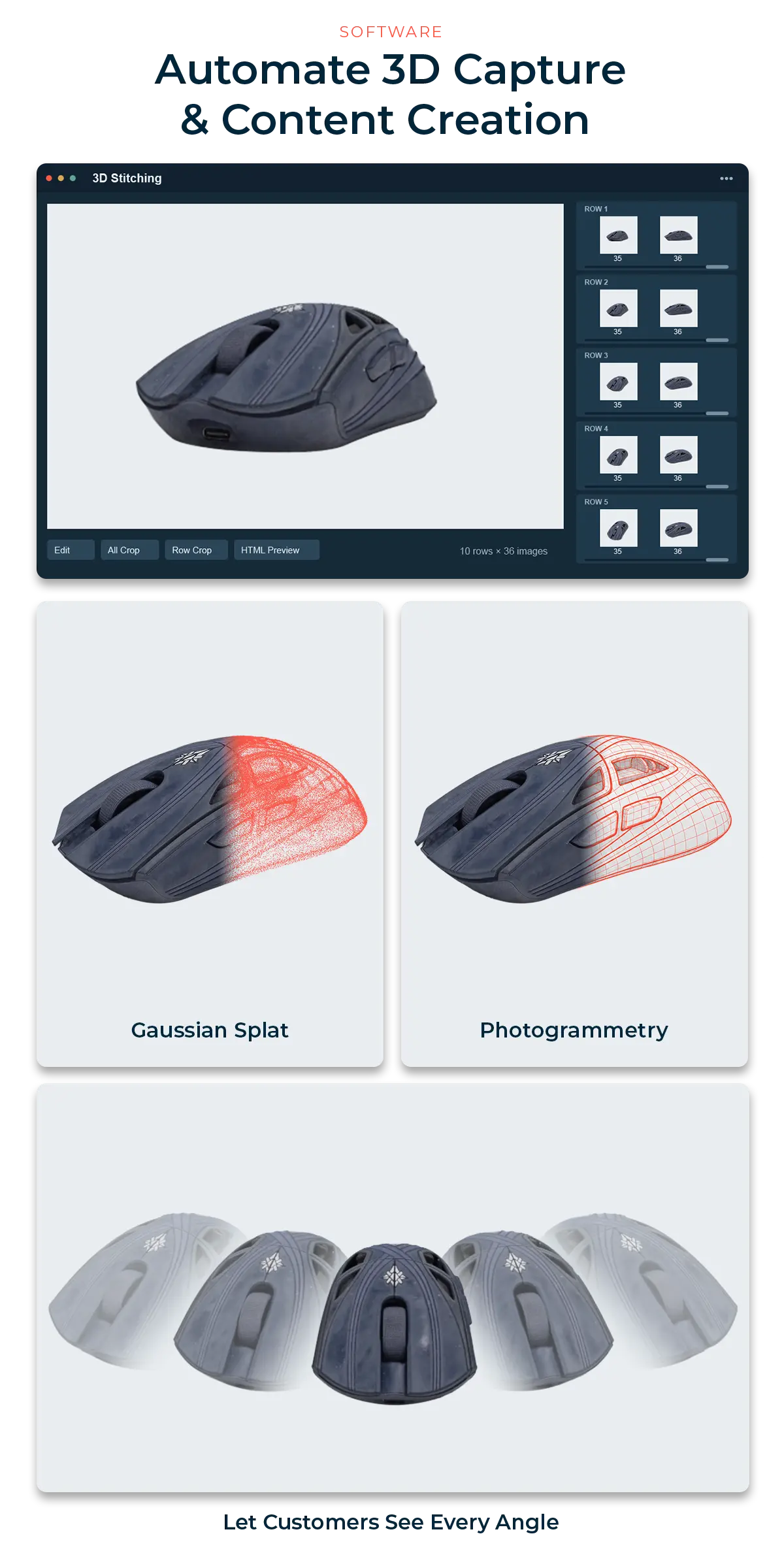
Ortery software brings the camera, lighting, turntable movement, image capture, and processing together in one streamlined workflow. Combined with the Modeling Kit, modeling software, and an advanced 3D viewer, the system helps businesses manage the process from professional photography to finished digital content.
Centralized Hardware and Capture Control – Ortery Capture software coordinates compatible camera, lighting, and turntable movement. Preview images and choose the type of model to create before capture, then let the software perform the entire capture workflow.
Automated Multi-Angle Photography – Control camera triggering and turntable rotation to generate organized image sequences for 3D reconstruction.
Saved Capture Profiles – Save and recall camera, lighting, turntable, and workflow settings to standardize capture procedures and reproduce consistent results across operators, shifts and locations.
Optional AI Background Removal and Built-In Editing – Edit and batch-process images using automated background removal and other processing tools. Prepare images for modeling, eCommerce, and other output requirements.
Ortery Modeling Kit – Simplifies model preparation with guided image creation and camera alignment workflows, helping users progress from captured photography to 3D reconstruction.
Photogrammetry Software – Includes a perpetual photogrammetry software license for converting professionally captured images into realistic, textured 3D models.
Gaussian Splat Workflow Support – Create image datasets for Gaussian Splat reconstruction using compatible third-party software, expanding the range of realistic 3D content that can be produced.
Advanced 3D Viewer
Present and share finished 3D models through an interactive, HTML-based viewing experience.
- Deliver interactive 3D experiences through normal web browsers.
- Display photogrammetry and Gaussian Splat models.
- Support high- and low-resolution 3D models.
- Control model presentation – Define model movement, interactive features, default viewer controls, playback, and zoom limits.
- Add interactive hotspots to highlight important product details.
- Display accurate product measurements.
- Record product movements and export them as video.
Integrations
Ortery offers several optional tools and APIs to automate repetitive tasks, eliminate manual file handling, and deliver finished content wherever it’s needed. Extend product photography automation beyond image capture by connecting your system to cloud storage, eCommerce platforms, databases, and existing business applications.
Ortery Connect

AI Background Removal
Ortery Direct to Shopify
Ortery Cloud
Ortery SDK
Combinations
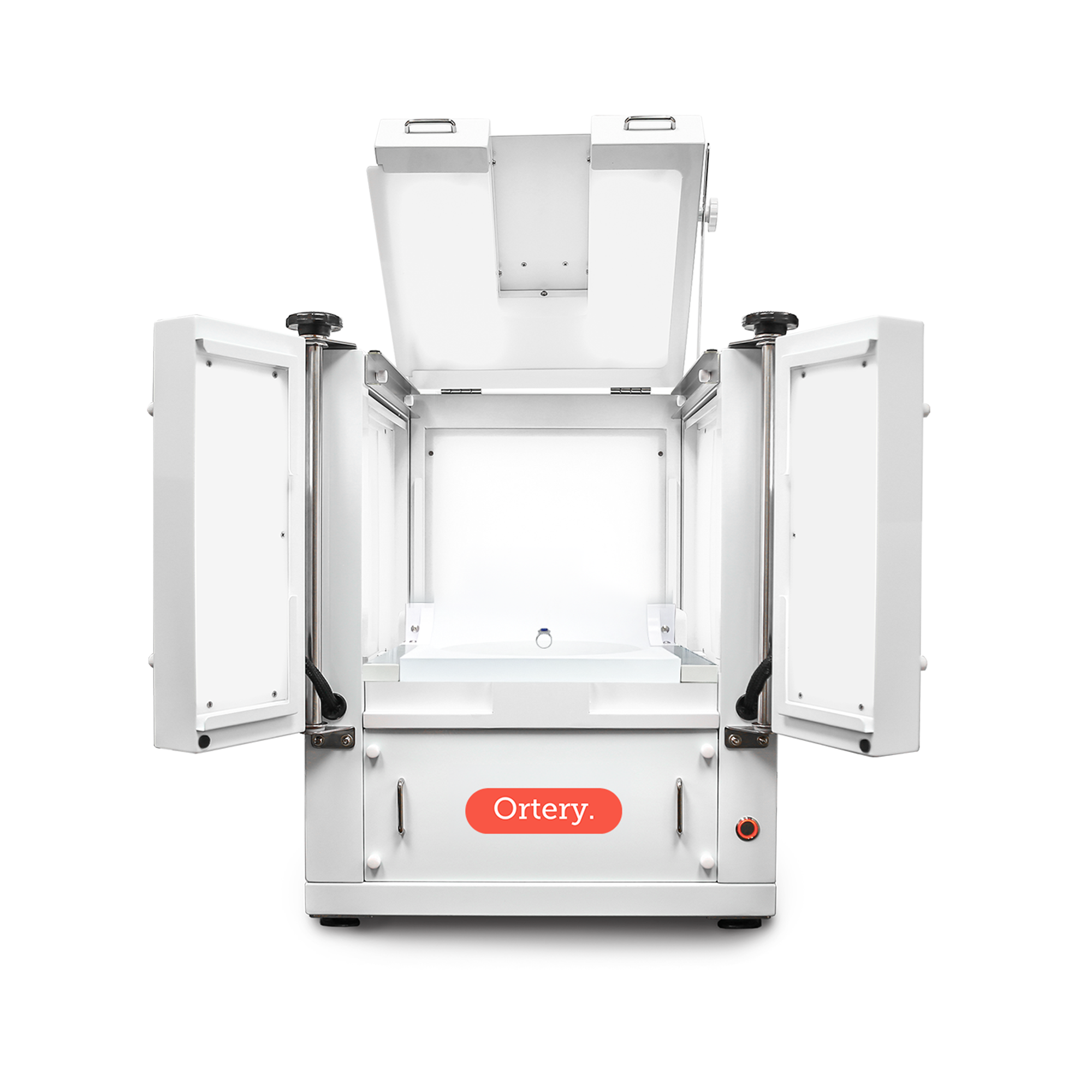
3D PhotoBench 80